Plans: Where can I see my used and remaining minutes?
Where to check your minute usage on the platform, what's included in the count, and what to do if the numbers don't add up.
Written By Product
Last updated 2 months ago
You can check your usage directly on the platform, without having to ask.
Where to see used and remaining minutes
Generally, you’ll find your minutes in the bottom-left corner of the sidebar, the column on the left
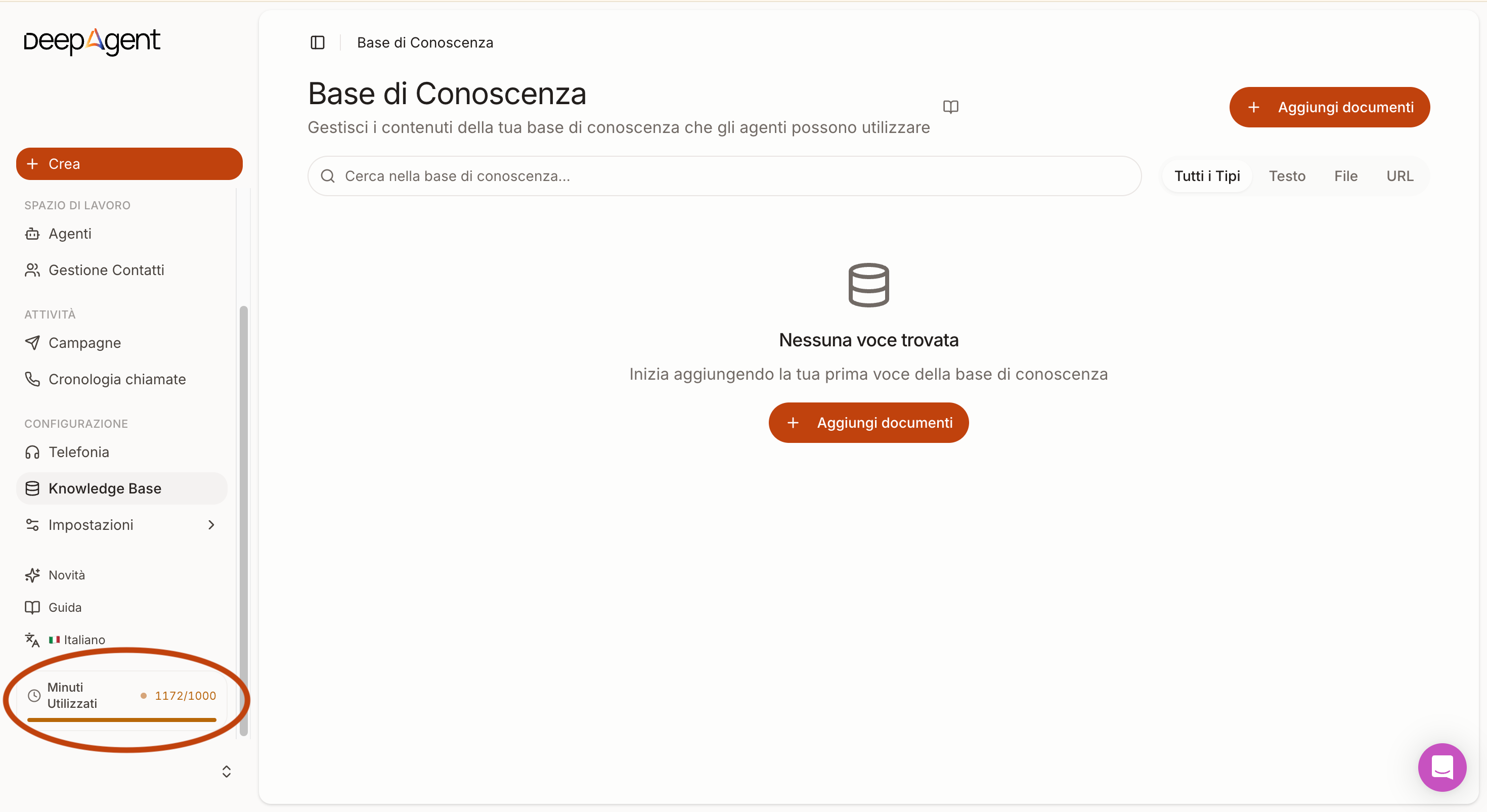
If you can’t find it, try this alternative method:
Go to the bottom left and click on “BILLING”
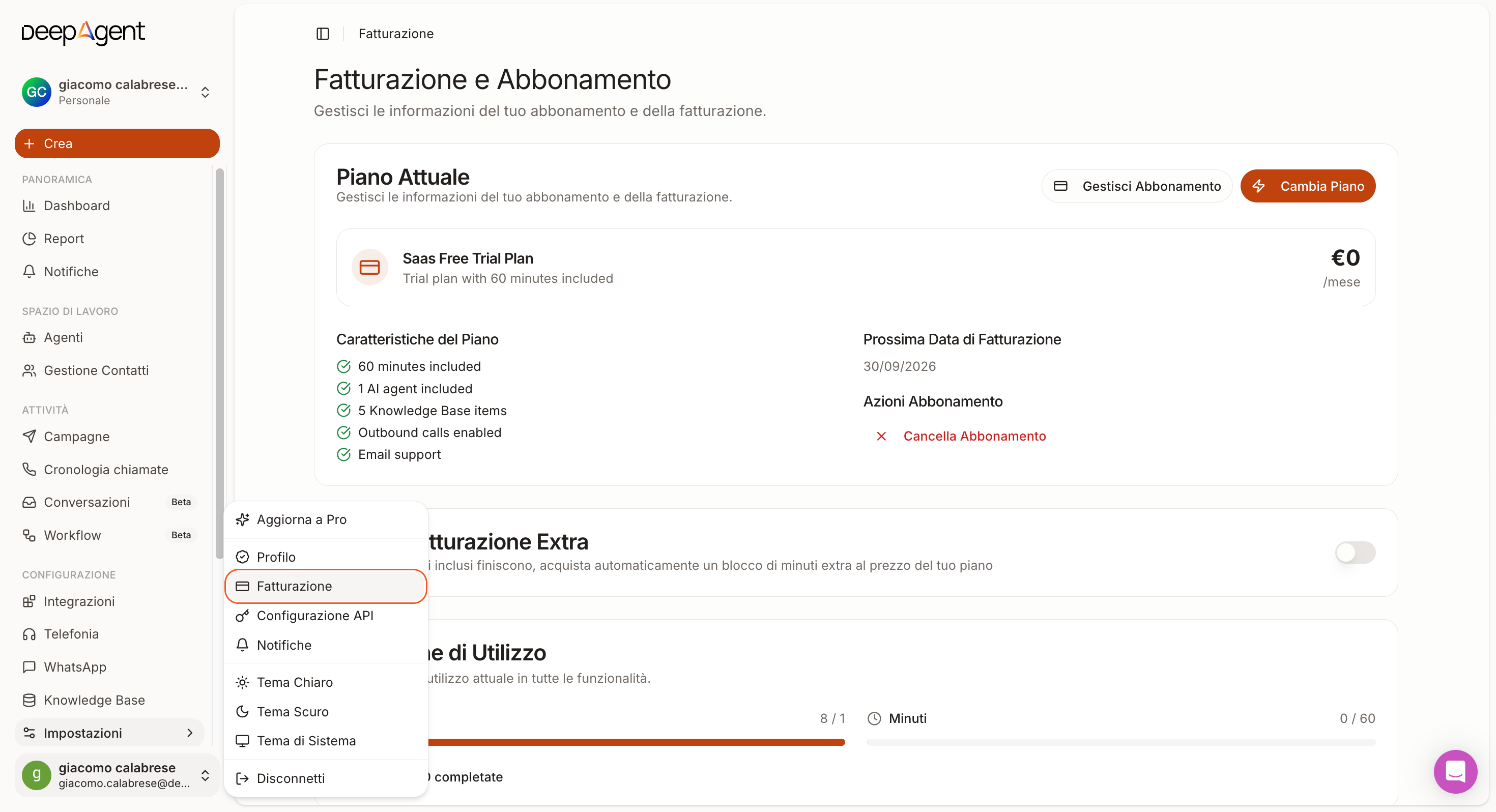
Here you’ll find the minutes included in your plan and those used during the current billing period
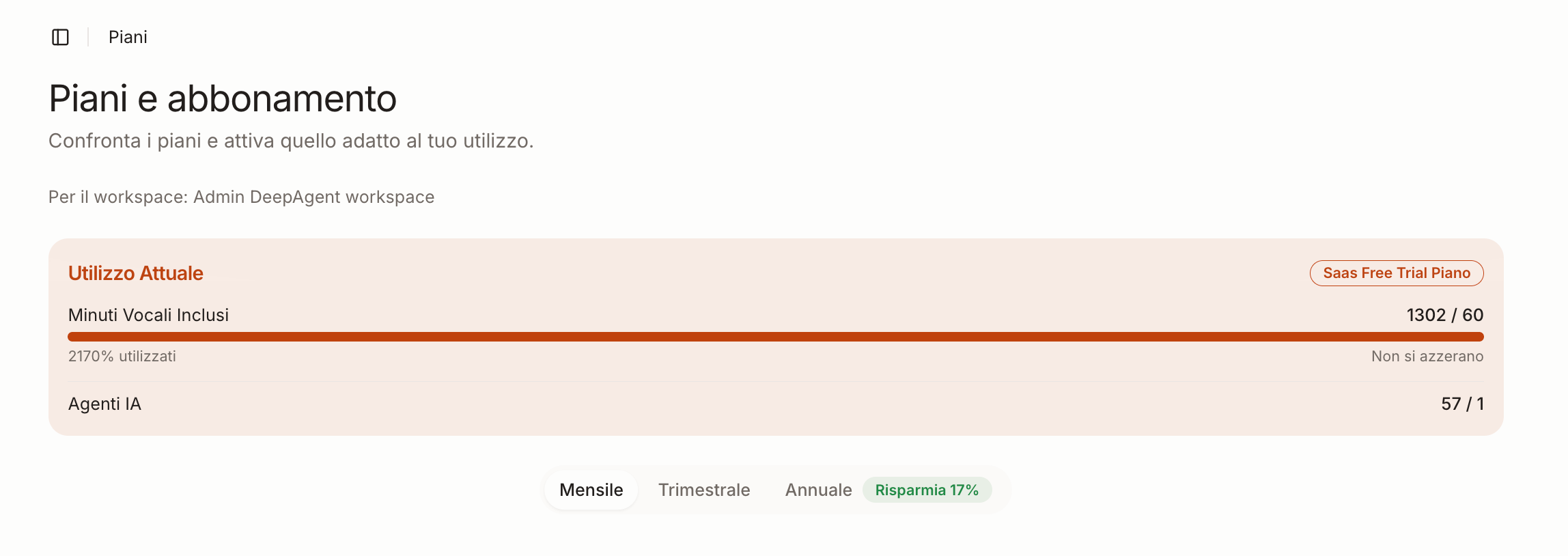
What Counts Toward Your Minute Allowance
All conversations are counted, including any test calls you make. That’s why every account starts with 30 free minutes to use during setup.
Your usage doesn’t add up
Before contacting us, check these two things, which explain most cases:
Test minutes are also counted;
Upon renewal, the counter resets to the plan’s total; unused minutes do not roll over;
However, the minutes you purchased—EXCLUSIVELY to cover overage—and did not use 100% are carried over to the next month;
If the numbers still don’t add up, message us via chat and specify the time period: we’ll review your usage in detail with you.
See also
Plans: How Minutes, Renewal, and Overage Work — what happens when you run out and how the 20% extra block works
Was this helpful?
Still need help? Share an idea