Plans: Pricing, Upgrades, Downgrades, and Cancellation
How to view or change your plan, and who to contact for pricing, upgrades, downgrades, and cancellations.
Written By Product
Last updated 2 months ago
Pricing and Current Plan
To find out what your current plan is, how many minutes are included, the cost of extra minutes, or to consider an upgrade, click the icon in the lower left corner, click on “Billing,” and then in the upper left corner of the screen you’ll find a button labeled “Change Plan.”
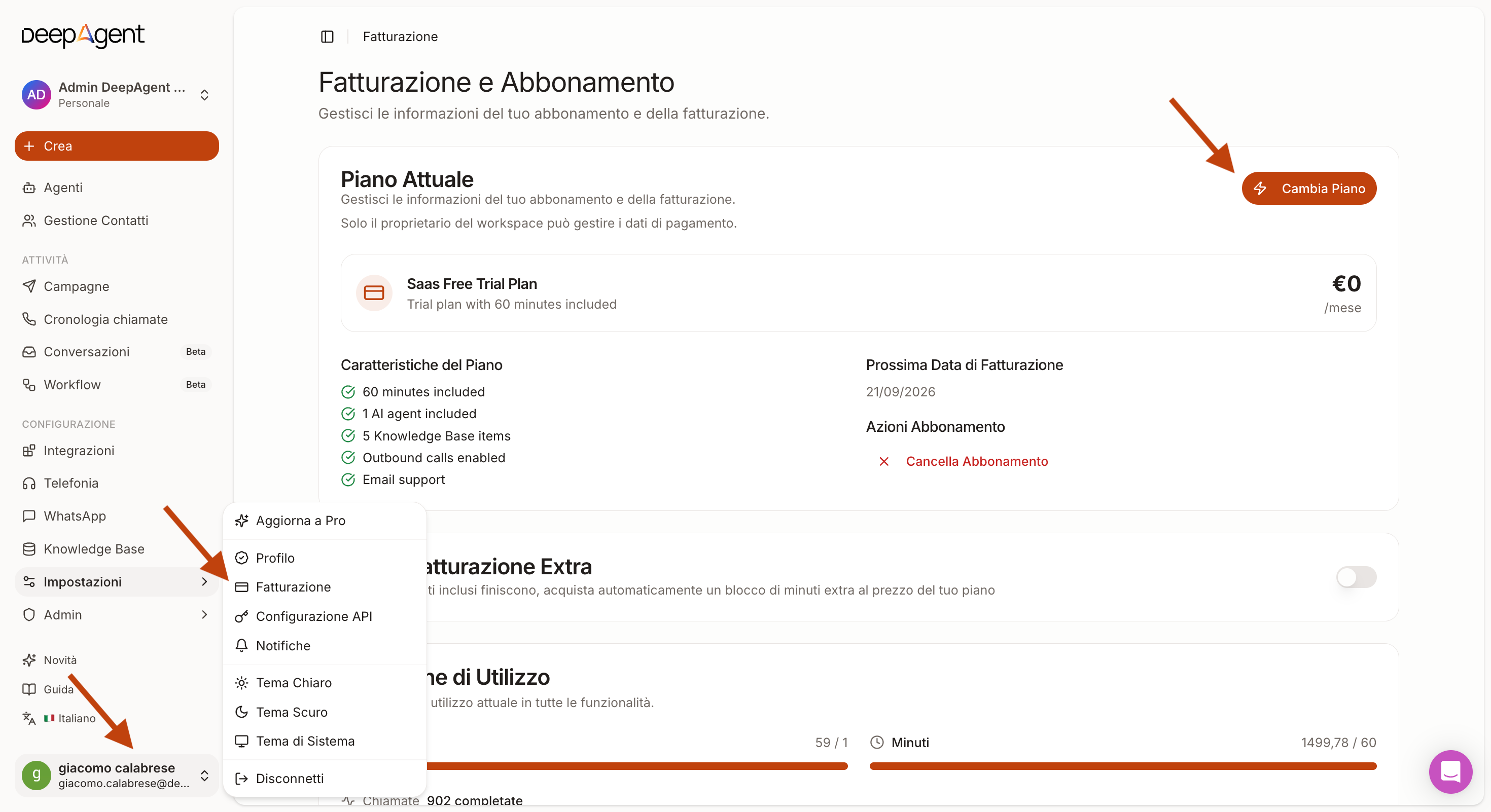
If, on the other hand, you’ve made arrangements with your sales representative, we recommend that you contact him or her directly.
Upgrade
Go to Billing → Change Plan: In the confirmation window, you can choose whether to make the upgrade effective immediately or schedule it to take effect when your current plan renews.
Exception: If you’re still in the free trial, the only available option is an immediate upgrade, because the free trial is a lifetime plan and doesn’t have a renewal date to which a scheduled change can be tied.
Any minutes already paid for on your previous plan that haven’t been used are always transferred to the new plan at no additional cost: they become a credit that is used only after you’ve used up the minutes on your current plan. This credit does not roll over to the next billing cycle—once it’s used up, it’s lost.
Downgrade
Go to Billing → Change Plan and select the lower-tier plan: in the confirmation window, you can choose whether to make the downgrade immediate or scheduled (it takes effect when your current plan renews).
As with an upgrade, any minutes you’ve already paid for but haven’t used yet are transferred to the new plan as credit, at no additional cost.
In any case, until the change takes effect, your current plan remains in effect, including for any overage charges.
Note on overage charges: These are always calculated based on the quantity and price of the plan that is actually active at the time of calculation. Any scheduled changes that have not yet taken effect do not affect this calculation.
Canceling Your Subscription
To cancel your subscription, stay on the billing screen and click “Cancel Subscription” in the center of the screen.
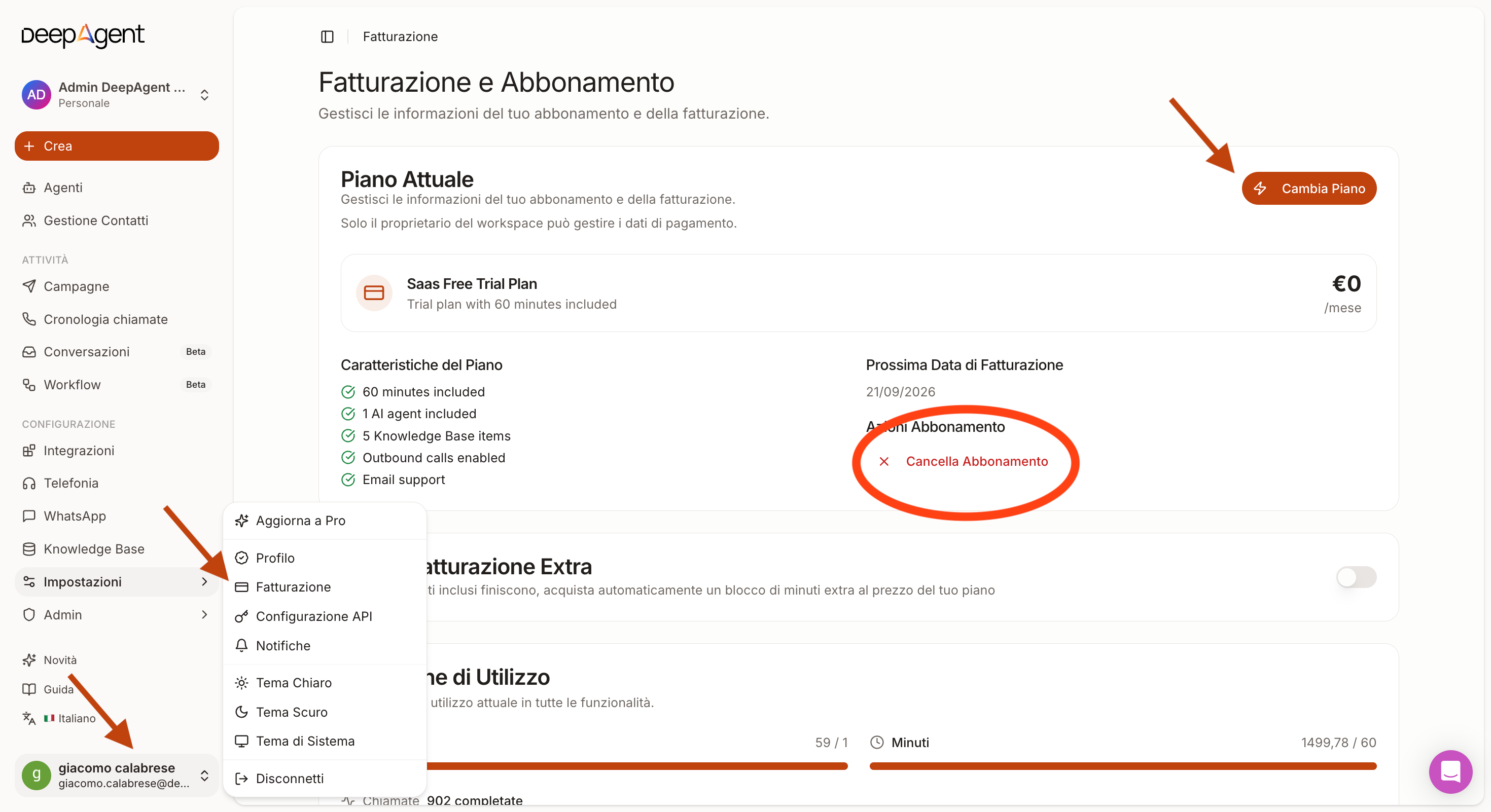
If you can’t find the option
If you’re still in the free trial period or don’t see the upgrade/downgrade button in Settings → Billing, contact your sales representative or support: we’ll check your account status together.
Was this helpful?
Still need help? Share an idea