We've launched CRM 2.0 and made DeepAgent AI even better
We've launched the new contact manager for all DeepAgent users, allowing you and your agents to save, manage, and use contact lists directly in DeepAgent.
One number, one contact
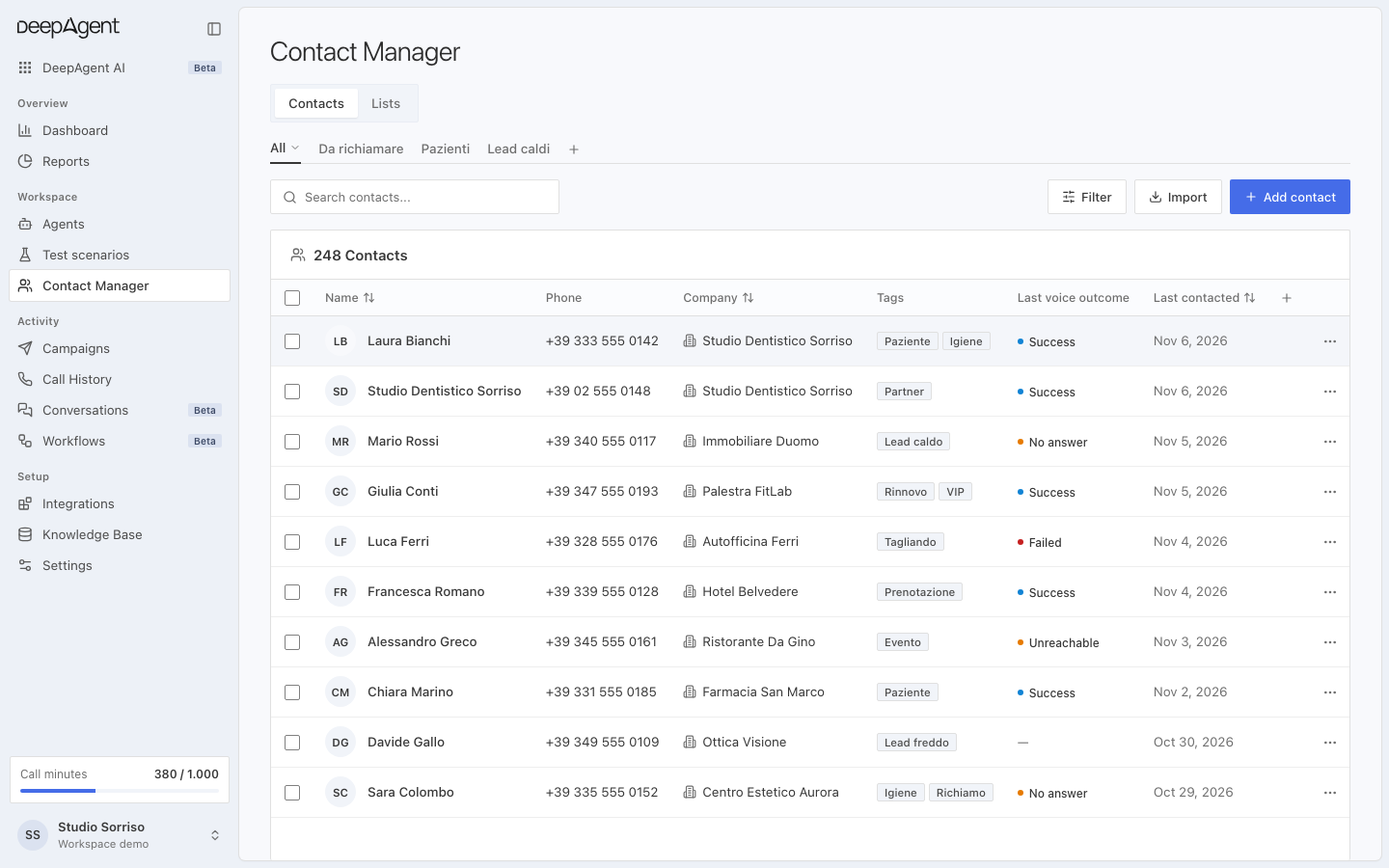
In Contact Management, each phone number belongs to a single person. Whether the same number comes from a call, WhatsApp, or a list, it always ends up in the same contact.
You can add the information you need, such as a contract's expiry date or the company name. The agent already has it in front of them when making a call or replying on WhatsApp.
Each person's history, in order
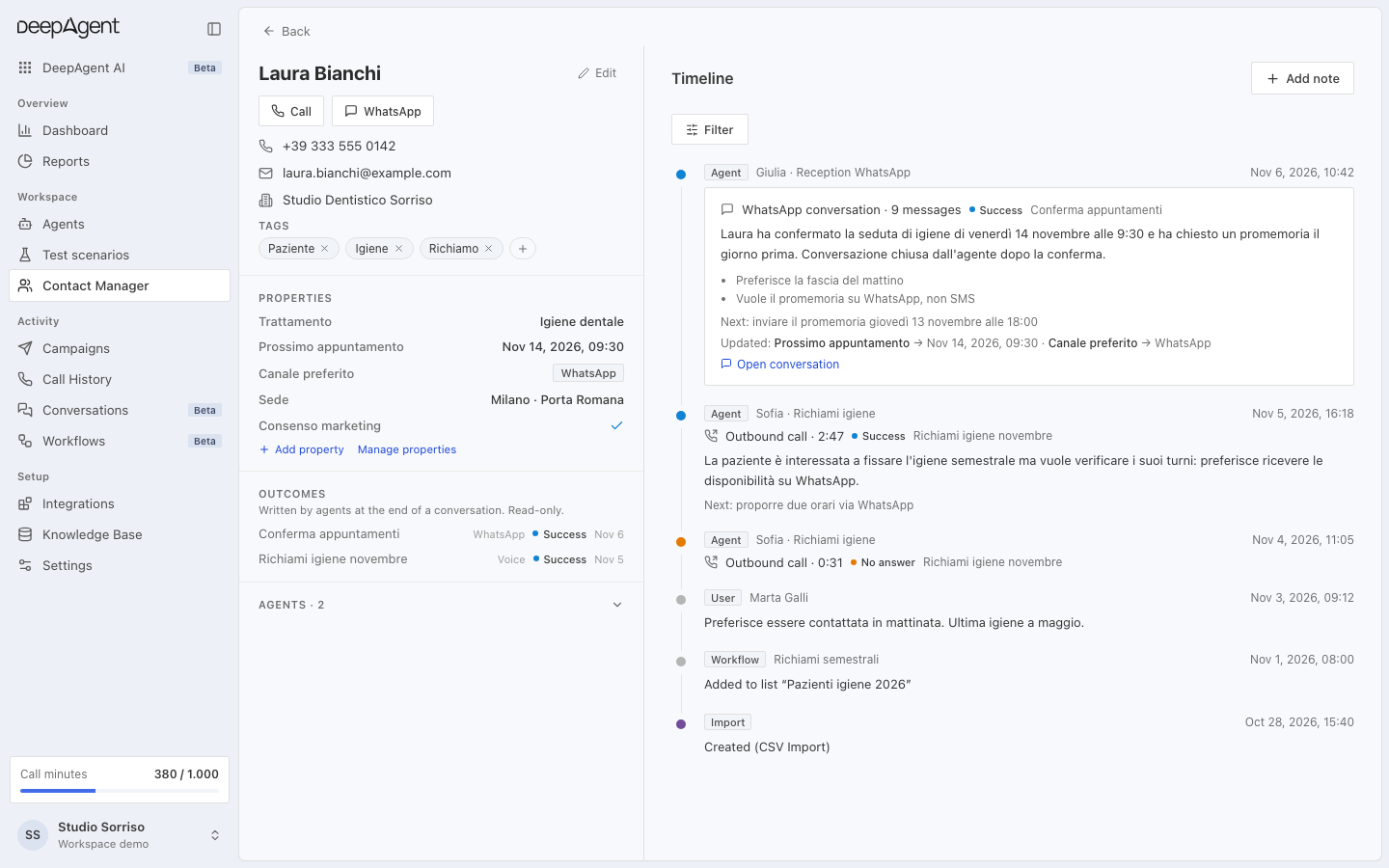
Open a contact to see everything that has happened: calls and WhatsApp conversations, starting with the most recent.
When a WhatsApp conversation ends, the outcome and a short summary stay there. You don't have to reread every message to find out how it went.
If the person doesn't reply within the time you choose, an automation can start on its own. For example, a call or a reminder.
Ask the chat, and it gets it done
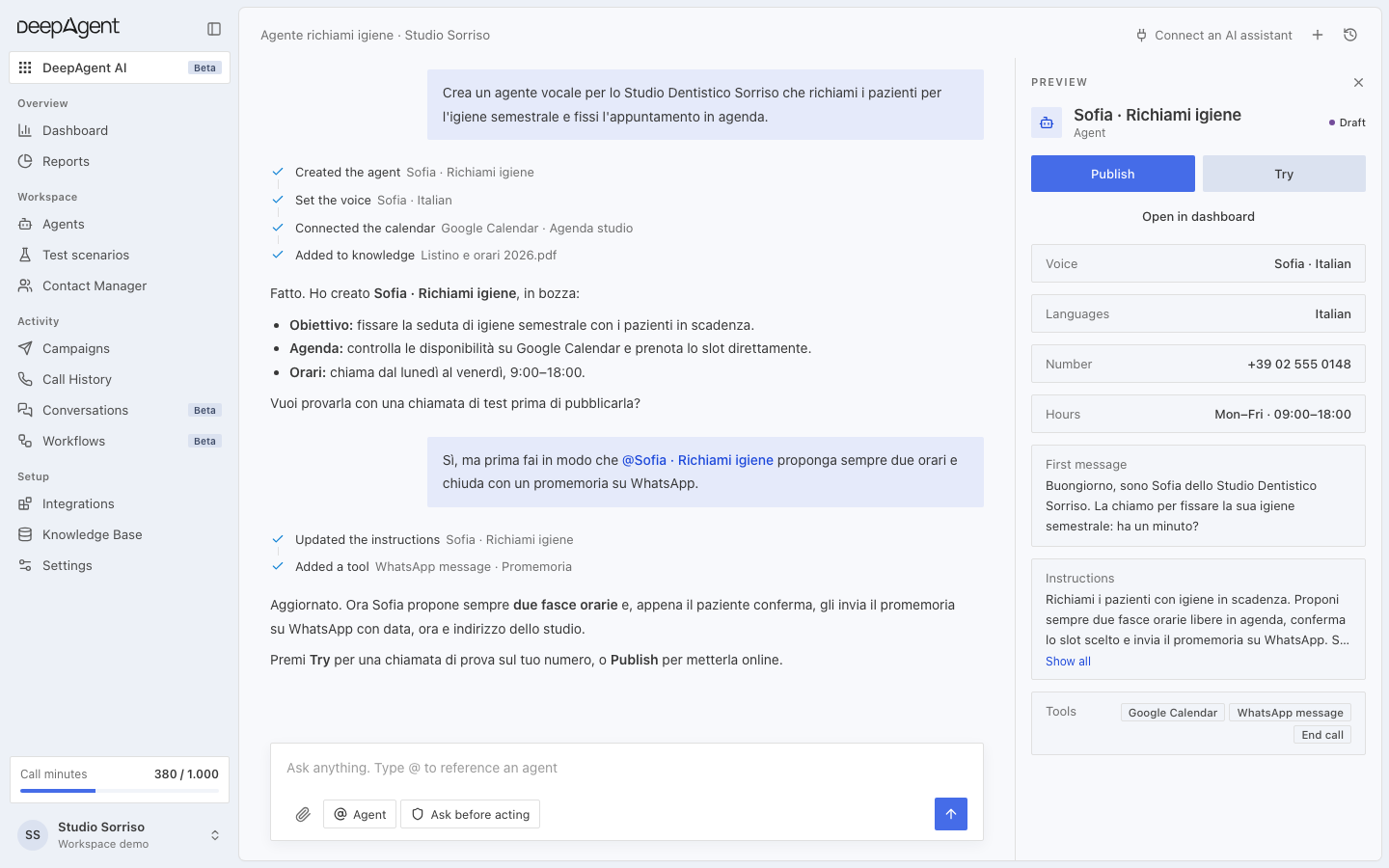
From the DeepAgent chat, you can do everything you can do from the dashboard: create an agent, prepare a campaign, find a contact, or buy and activate a number.
Before important actions, such as launching a campaign, buying a number, or deleting an automation, it asks for your confirmation.
If you'd like to see all this applied to your own use case, reply to this message: we'll show you how it works in five minutes.
See you soon,
The DeepAgent Team